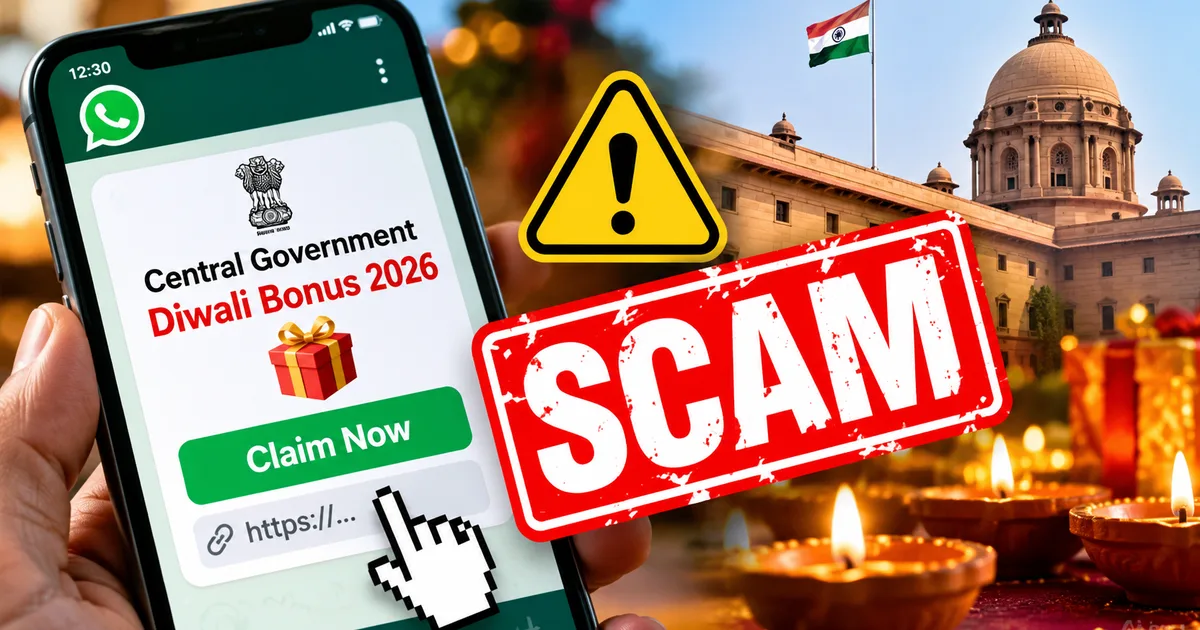
If your family WhatsApp group has just shared a link promising free cash from the government, stop right there. The fake Central Govt Diwali Bonus 2026 WhatsApp Link Scam is spreading rapidly across India, tricking people into handing over their hard-earned money right before the festival of lights. You might see a flashy message claiming that the Ministry of Finance is gifting ₹5,000 or ₹10,000 to every citizen or government worker. Don't believe a word of it.
Every festive season, we see this exact playbook. Every single time. Right now, newspapers and news apps are full of real stories about the pending 3% Dearness Allowance revision for July 2026, alongside festival bonus talks by central employee federations. Scammers pounce on that headline buzz. They know people are already chatting about bonuses over chai, so a WhatsApp forward offering festive cash feels believable enough to sneak past your guard.
I looked at several versions of this viral message doing the rounds this week. Honestly, they're clever. But if you ask me, they're straight-up traps. Tap that link and you won't get a single rupee. Instead, you risk losing your bank balance or handing over full control of your phone to cyber crooks.
What the fake Central Govt Diwali bonus message looks like
The scam usually lands in your WhatsApp chat from a friend or an elderly uncle who forwarded it with good intentions. That's why it spreads so fast. Most people just trust the sender without a second thought. In my experience, nobody bothers checking where a forwarded link actually points if it came from family.
Here is what the typical fraudulent message text looks like:
"Diwali Gift 2026: Central Government has approved a festival bonus of ₹5,000 to ₹10,000 for all Indian citizens and government staff under the PM Festive Welfare Scheme. Click the link below to verify your bank account and receive the payment instantly in your account. Offer valid till Diwali night only!"
Right below this text sits a sketchy shortened link. It runs on cheap domains like .xyz or .top (which makes sense, actually, since scammers buy them for pennies). Click it, and you see a copy of the national emblem alongside photos of government leaders. It looks official at first glance. Underneath, it's a complete fraud.
This tactic isn't new. We saw almost the exact same trick earlier with the fake PM Kisan pension message, where rural folks got tricked into downloading malicious apps for phantom stipends. Scammers just swap the festival name and the cash amount.
How the fraud works step by step
Spotting this trap gets much easier once you see the machinery behind it. Basically, the criminals behind this scam rely on cheap social engineering paired with weaponized Android code. Here is the sequence of events:
- The victim clicks the link sent via WhatsApp and lands on an imposter portal hosted on a free or offshore domain.
- The webpage displays a fake lottery wheel or a verification form asking for basic details like name, mobile number, and home state.
- After clicking submit, a popup insists that you must share the link with 5 WhatsApp groups or 10 friends to unlock the bonus transfer. This viral loop ensures millions receive the message within hours.
- Once you finish forwarding, the page directs you to an approval screen that asks you to install a dedicated verification app, usually named something like DiwaliBonus_Claim.apk or PM_Bonus_Portal.apk.
- The downloaded application asks for dangerous device permissions, including access to read incoming SMS messages, manage phone calls, and run continuously in the background (which, for the record, is a massive red flag).
- Once installed, the malware reads your banking SMS alerts and intercepts one-time passwords (OTPs). Scammers then trigger unauthorized UPI fund transfers or net banking withdrawals, emptying the balance before you even realize what happened.
Sometimes the site skips the APK entirely. It pushes you straight toward a fake payment page instead. The prompt asks for a tiny processing fee of ₹50 or ₹99 through PhonePe or Paytm. I'm not sure exactly why people agree to pay a fee to get a free bonus, but festival excitement takes over. You think you're paying pocket change. Then your UPI app opens with a collect request for thousands of rupees, or locks you into nasty auto-debit mandates.
Earlier this month, The Times of India reported a case where a Chartered Accountant lost ₹1.7 lakh after replying to an unverified message and granting background permissions. If you ask me, that proves anyone can get caught off guard by these links. A single click is all it takes.
Warning signs that scream fraud
Scammers try hard to look legitimate. But their websites always leave messy clues behind. I think you only need to spot a single red flag to know it's a scam. If you spot even one of these signs, close the browser tab immediately:
- The website address doesn't end in .gov.in or .nic.in. Official Indian government websites exclusively operate on government domains managed by the National Informatics Centre.
- The message requires you to forward it to multiple contacts or WhatsApp groups before giving you access to the promised money. No real welfare program operates like a chain letter.
- The portal prompts you to download and install an APK file directly from the browser instead of the Google Play Store.
- The webpage asks for your debit card PIN, net banking password, or UPI PIN. Remember that never enter your UPI PIN to receive money.
- There's an artificial timer counting down, claiming the funds will expire in 15 minutes or before midnight.
Look at the wording, too. Real government circulars don't read like promotional sales pitches. They never announce free cash giveaways for every citizen without clear eligibility rules or official gazette notifications. When an offer sounds too good to be true, it's a trap. Every single time.
How real government bonuses actually work
To see through this scam, you only need to know how real central government bonuses actually work. The government simply doesn't run public registration forms for festive payouts.
For central government employees, festival bonuses follow strict statutory rules. Each year, the Department of Expenditure under the Ministry of Finance issues formal orders for non-productivity linked bonuses, also known as ad-hoc bonuses. These cover eligible non-gazetted staff based on a calculation ceiling of ₹7,000 per month. That works out to roughly ₹6,908 for 30 days of bonus calculation (the math gets a bit tricky if you try calculating daily rates yourself).
Railway staff get a separate Productivity-Linked Bonus (PLB) calculated on 78 days of wages, which maxes out at ₹17,951. Meanwhile, talks around Dearness Allowance revisions, including the 3% DA hike expected for July 2026, are decided by the Union Cabinet and announced through official gazette notifications.
Thing is, you never apply for it. Here's the deal: government bonus payments happen only through PFMS direct bank credit. Funds drop directly into salary accounts through the Public Financial Management System. Zero forms. Staff never need to fill out external web links or share credentials on WhatsApp.
And what about regular citizens who don't work for the government? There is no bonus scheme. None. If you ask me, the idea of an unconditional government gift link should set off alarm bells right away. The central government doesn't distribute Diwali cash gifts to the general public. Anyone claiming otherwise is just lying to steal your credentials, just like those behind bank compensation phishing link scams who prey on folks expecting surprise refunds.
How to protect your bank account from Diwali bonus fraud
If you or someone in your family ran into this message, here is what you need to do right now to protect your money.
First and foremost, the government never sends festive bonuses through WhatsApp links. Never. Don't touch links that arrive in forwards. If an uncle or cousin sends it to you, tell them right away it's a scam so they don't blast it to other family groups.
Second, don't install any APK file sent to your phone. Android blocks sideloaded apps by default for a very good reason. If your browser asks for permission to install random files, tap cancel (annoying, I know, when popups keep bugging you). Real public apps like UMANG or DigiLocker only come through verified platforms like Google Play.
What if you already tapped the link and installed the app? Act fast:
- Turn on Airplane mode or turn off mobile data and Wi-Fi immediately to cut off the malware from transmitting data to the scammer.
- Check your downloaded files and app manager. Locate the rogue application and uninstall it. If your phone refuses to uninstall it, restart in Safe Mode and remove it.
- Open your bank apps from a secondary, clean device and temporarily lock your UPI access or freeze your net banking profile.
- Change your primary net banking passwords and email passwords immediately.
In my experience, moving fast in the first ten minutes saves you from hours of bank disputes. You can read our broader collection of practical cyber safety guides for step-by-step instructions on securing your Android phone against rogue background apps.
Where to report the fraud immediately
Even if you caught the fake link early and didn't lose cash, report it anyway. That gives authorities a chance to yank the domain before someone else gets taken. But if money has already left your account, every second counts.
The Ministry of Home Affairs manages the National Cyber Crime Reporting Portal. If you have suffered any financial loss, dial 1930 immediately if money leaves your account.
That 1930 national helpline connects straight to the Indian Cyber Crime Coordination Centre (I4C). In my experience, reporting within the first two hours makes or breaks your case. If you act within that golden window, authorities can slap an emergency freeze on the scammer's mule account before the money gets pulled from an ATM.
Follow that call up with a formal complaint online at cybercrime.gov.in. Keep transaction screenshots and your UTR bank reference numbers ready as evidence.
The Indian Computer Emergency Response Team (CERT-In) tracks these festive malware campaigns and blocks their control servers. You can check our dedicated scam alerts and fraud updates to see what new tricks scammers are throwing at Indian phone users this festive season.
You can also send viral forwards to the Press Information Bureau Fact Check unit. Their team debunks fake government notices daily on social media.
Diwali is about sweets and family, not dealing with frozen bank accounts and police complaints. Ignore the free cash messages, and warn your family before someone clicks.