I spent yesterday turning a dry 20-page RBI policy document into a conversational podcast while drinking afternoon chai. Two hosts, a man and a woman, debated interest rate decisions in casual, clear Hindi. They hesitated, took breath pauses, and even interrupted each other gently when clarifying points. I didn't record a single word of audio myself. Google NotebookLM Hindi Audio Overviews did all the heavy lifting in about 45 seconds.
If you've been following notebook tools over the past year, you know Google's research assistant got popular because of its viral Deep Dive audio summaries. But until recently, those AI podcast hosts only spoke English. That changed when Google updated the system using Gemini's native audio features. Now it supports Hindi and over 50 other global languages. If you're a student preparing for exams or a small business owner wading through tax circulars, this changes how we deal with heavy documents here in India.
What are Google NotebookLM Hindi Audio Overviews?
NotebookLM is a free notebook assistant from Google. Basically, you feed it your own files like PDFs, Google Docs, pasted text, or web links, and it answers questions using strictly those sources. It doesn't pull random claims off the web unless you tell it to search. In my experience, it stays firmly anchored inside whatever files you uploaded.
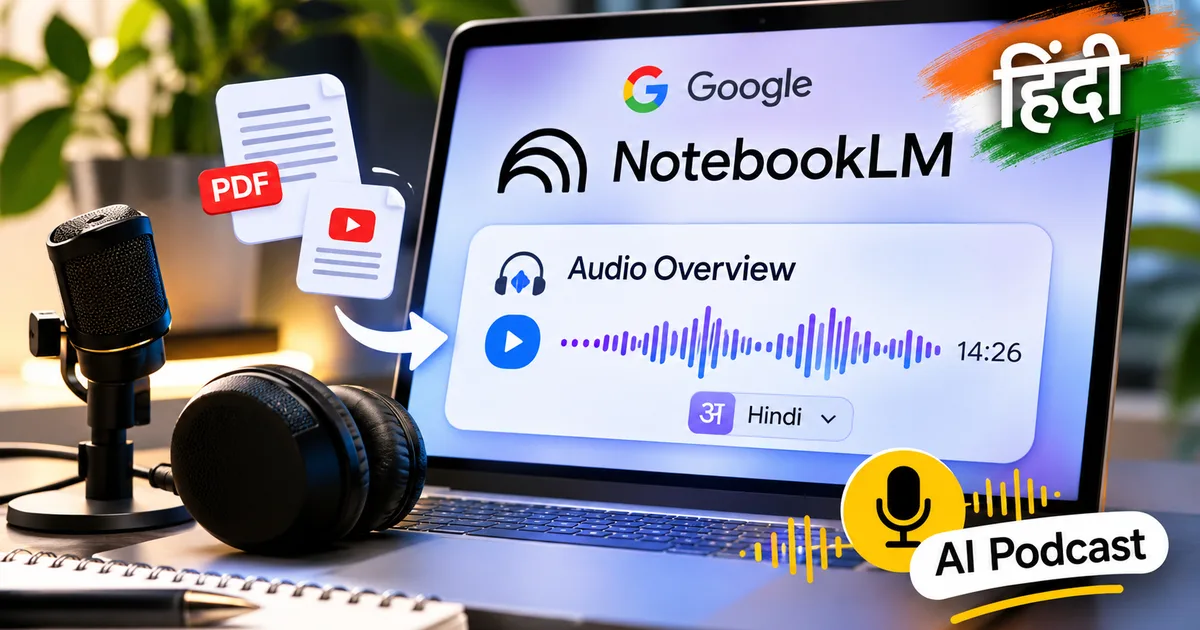
The Audio Overviews feature takes your uploaded sources and turns them into a radio-style chat. Two AI voices talk through your document. They don't just read lines verbatim like a robotic screen reader. Instead, the hosts pick out main points and rephrase complex jargon into plain language.
When tests were run on an 800-word tech news article, NotebookLM turned it into a 5-minute Hindi conversation in under a minute. In another test with a dense article about direct-to-mobile transmission technology, a 4-minute read expanded into a 9-minute audio breakdown. Honestly, the audio flow sounds surprisingly human (it even includes small verbal stutters and natural breathing pauses).
Supported Indian languages in NotebookLM
Hindi gets plenty of attention, but Google didn't stop there. This update brings native audio output to 13 major Indian languages. Here is the full list of supported languages from India:
- Hindi
- Marathi
- Bengali
- Tamil
- Telugu
- Kannada
- Malayalam
- Gujarati
- Odia
- Maithili
- Konkani
- Punjabi
- Urdu
That's a huge win for regional language speakers. If you're studying in Marathi or trying to read state government updates in Gujarati, you don't have to translate files by hand first. You just upload an English PDF and tell the tool to make the audio overview in your own language.
Google noted in its official update: "Thanks to Gemini's native audio support, even more people can use Audio Overviews in their preferred language... You can change the language at any time and your audio and chat responses will reflect this."
How to generate NotebookLM Audio Overviews in Hindi
Setting this up takes under two minutes. You don't need a paid plan, an API key, or a fast laptop. A simple browser on your phone or computer works fine.
Step 1: Create a new notebook
Open your browser and head to notebooklm.google.com. Log in with your personal or work Google account. Once you land on the dashboard, click on Create New to open a fresh workspace.
Step 2: Upload your source materials
You'll see an import box asking for files. You can add up to 50 sources per notebook. It takes PDFs, text files, Google Docs, Google Slides, pasted text, or web links. If you're a student, drop in your chapter PDFs. If you run a business, upload supplier agreements or manuals.
Step 3: Change the output language settings
By default, NotebookLM keeps its audio set to English. You'll want to change this before clicking generate. Look at the top right corner and click the Settings icon (the gear symbol). In that drop-down menu, click Output Language. Next, hit Choose your language override, scroll down, and pick Hindi (or whatever regional language you prefer). Then save and close the window.
Step 4: Customize and generate your audio overview
Look at the Notebook guide panel on the right side of your dashboard. You'll see an Audio Overview box with a Generate button. Right next to it sits a small Customize prompt button. Click Customize if you want to give specific instructions to the voices.
For instance, you can type: "Focus on explaining the tax implications for small retailers in simple terms." Or: "Keep the discussion focused on key dates and formula definitions for my exam." Once you type your prompt, hit Generate. Then wait around 45 to 90 seconds while it turns your text into a complete audio chat.
You can listen right in your browser, change the playback speed to 1.25x or 1.5x, or just download the MP3 to your phone. I usually save the files for offline listening while riding the metro (which saves mobile data, too).
Practical ways to use Hindi AI podcasts in India
Look, this tool isn't just a gimmick. It solves real problems for anyone who hates long reading sessions or learns better by listening. If you want to see how to use this for studying, check out our guide on creating AI podcasts for exam prep.
1. UPSC and competitive exam revision
Syllabus documents for exams like UPSC, SSC, or state PSCs are ridiculously long. Reading 80-page committee reports or monthly current affairs digests gets exhausting. So if you upload those PDFs into NotebookLM and make a 10-minute Hindi conversation, you can review tough topics while walking or doing household chores. The hosts point out central arguments, so recall gets much easier during revision rounds.
2. Regional business operations
Many small business owners in Tier-2 and Tier-3 cities get legal contracts or compliance notices in heavy English. Reading dense legal jargon in a second language means you might miss important clauses. If you upload the agreement and set the output to Hindi or Gujarati, you can listen to two hosts explain contract obligations in simple words.
3. Learning assistant for parents and seniors
Parents helping kids with English-medium science or history homework often run into tricky words. Uploading textbook chapters into NotebookLM gets you quick audio summaries in Hindi. In my view, it's an easy way for parents to get the core concepts fast before teaching them to their children.
And for quick voice chats on your phone, you can also check out Google Gemini Live in Indian languages to ask follow-up questions out loud.
Where NotebookLM Hindi still falls short
Honestly, the tool isn't perfect. I'm not sure exactly why it happens, but while testing various Hindi sources, I noticed a few annoying quirks you should watch out for.
First, technical English terms sometimes get translated too literally. That makes them sound pretty awkward in spoken Hindi. Software terms or financial abbreviations like HRA or TDS can sound forced when the hosts try to use formal Hindi equivalents instead of normal Hinglish.
Second, you can't pick the host gender or specific regional accents yet. The Hindi accent is standard north Indian Hindi. If you were hoping for regional dialects, that feature isn't there. Also, making audio can take longer when Google's servers get crowded during peak Indian work hours (annoying, I know).
Even with those quirks, it is easily one of the best free productivity features around right now. You don't need to pay monthly fees or buy high-end hardware. If you want to see how NotebookLM stacks up against other tools we use, check out our list of AI Tools & Software guides.