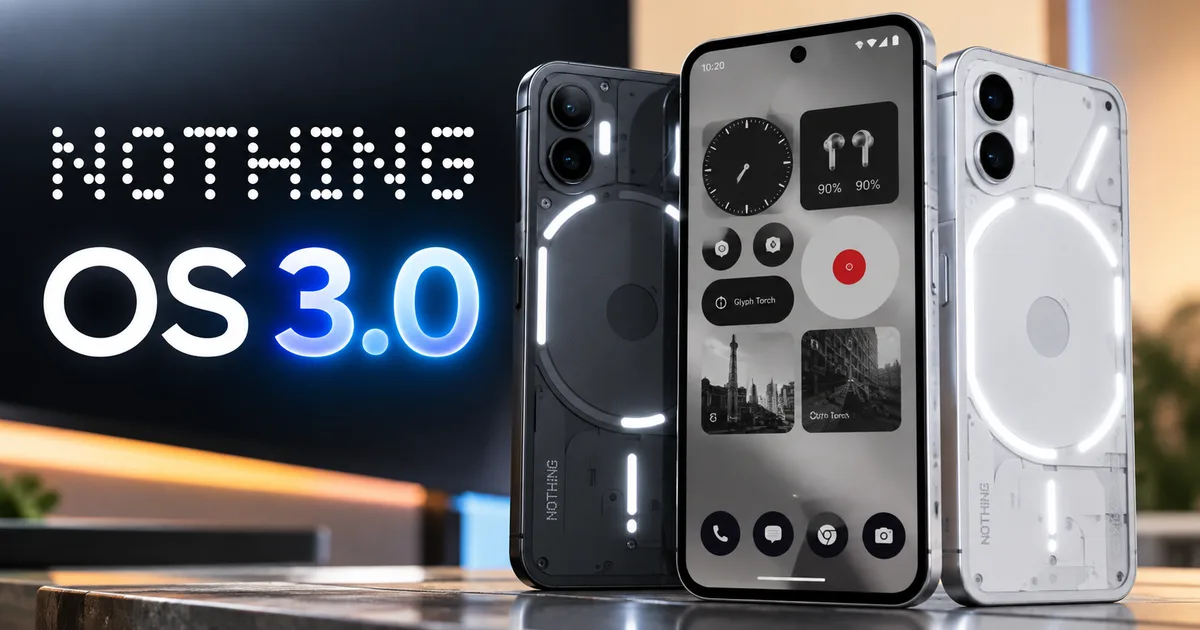
If you bought a Nothing Phone over the past two years, you already know the drill. Carl Pei and his London team love teasing software features for weeks before releasing anything to the public. But the official announcement of the Nothing OS 3.0 update, built on Android 15, brings concrete improvements that Indian users have requested since the first phone arrived. For anyone carrying a Phone (2) bought during festival sales or a Phone (2a) bought for ₹23,999 as a daily workhorse, this release changes how your handset handles everyday tasks. The upgrade is much bigger than a basic version bump in settings. It changes how you organize apps and browse your camera roll on your morning commute.
I spent the last few days testing an early build on a spare handset. Some changes are genuinely great. Others feel a bit half-baked. A couple of tweaks seem like weird design experiments, and in my experience, they take a few days of muscle memory before they stop feeling awkward. Look, Nothing is clearly trying to build an identity away from generic Android skins. This build is our clearest look at that vision yet. You can follow our coverage in latest tech news to see how other phone makers handle their software rollouts this season.
So what is actually inside? Here is the full breakdown covering the new tools and device support, plus when you can expect that download prompt to pop up on your phone in India.
New Nothing OS 3.0 features you will actually notice
Look, every phone brand promises faster speeds and slicker animations when a new Android build lands. Most of the time, those promises just mean tiny tweaks you forget within five minutes. They fade into the background. With Nothing OS 3.0, though, the visual refresh hits you right away. The company doubled down on its dot-matrix typography, and if you ask me, cleaning up that system clutter makes the UI feel way sharper.
The standalone Nothing Gallery app
The biggest practical shift here is the new Nothing Gallery app. Until now, Nothing phones relied on Google Photos. It was the only default. And if you shoot lots of photos every week, you know what a pain that was. Google Photos constantly pushes cloud backups on you (annoying, I know) and lags for a beat right after you snap a portrait shot.
This native gallery app is brand new. Tap the preview circle right after shooting, and boom, it opens without stuttering. Nothing says transitions between the camera and gallery are around 25 percent faster, and in my daily testing, you can definitely feel that extra snap. The layout is dead simple. You get indexing by month and year, plus a private section for your favorites that never syncs to remote servers. If you keep Aadhaar card scans and family pictures on your phone, keeping that data strictly offline is a massive plus.
Lock screen clock customization and widgets
Lock screen setup was pretty rigid on Nothing OS 2.5. You had a few basic clock styles and some circular widgets, but you couldn't customize much beyond that. Now, the whole setup is wide open.
Long-pressing on any empty spot takes you straight into an expanded customization screen. The update adds several new clock designs. You get a classic dot-matrix clock and a sleek proportional font option, along with an expanded digital layout that resizes itself (which looks pretty neat, honestly) depending on how many unread notifications are waiting for you.
And then there are Shared Widgets. This lets you link widgets on your home screen or lock screen with friends and family who also use a Nothing phone. When a friend shares a photo widget, your screen updates whenever they send a reaction. Simple as that. It works like those standalone social widgets, but it's baked directly into the OS. I'm not sure exactly how many people will use this every single day, since it depends on whether your friends actually own a Nothing device, but the engineering behind it is neat.
Smart drawer and home screen tweaks
App sorting gets a serious rework too through what Nothing calls the Smart Drawer. On older versions, swiping up just showed a basic alphabetical list. Finding apps was a chore. You had to type in search or scroll past dozens of icons to find that one cab booking app or train ticket service you open twice a month.
The Smart Drawer uses on-device smarts to sort your apps automatically into folders like Social, Utilities, Finance, and Media without sending personal data to external servers. It also puts your most-used apps right on the top row depending on the time of day. So if you open Swiggy around lunchtime or pull up PhonePe and Google Pay during evening market runs, those apps show up right where your thumb rests. Hate automatic sorting? You can switch back to the old manual layout with one tap.
Dot engine animations and camera speed
Under the hood, Nothing added what it calls a dot animation engine. Basically, it replaces plain flat animations with dot-style visuals across the quick settings shade and fingerprint unlock screens. When you plug the charger in, the battery graphic pulses with a neat micro-dot glow that matches the glyph styling on the back. It looks slick.
Camera processing speed gets some much-needed love too. In my experience, shutter lag on the Phone (2a) often made indoor shots of restless kids or pets turn out blurry in low light. Nothing claims multi-frame HDR processing is faster here. That helps the sensor lock in exposure much quicker during tough situations like crowded evening markets or dimly lit family functions. Photos come out noticeably sharper.
Nothing OS 3.0 eligible devices and hardware support
Here's where things get interesting for buyers in India. Nothing expanded its phone lineup pretty quickly over the last eighteen months, going from one niche enthusiast phone to budget-friendly models and CMF sub-brand devices. Naturally, people want to know if their particular handset made the cut.
The good news is that nearly the entire catalog gets the green light. Here are the eligible phones:
- Nothing Phone (2) receives the update as the brand previous flagship hardware, bringing the full suite of animations and widget tools.
- Nothing Phone (2a) gets the complete Android 15 package, ensuring one of India most popular mid-range phones stays up to date.
- Nothing Phone (2a) Plus receives identical software support with enhanced camera tuning for its upgraded front sensor.
- Nothing Phone (1), the original device that launched the brand in India, qualifies for its final scheduled major operating system upgrade.
- CMF Phone 1 receives the update with a customized version of Nothing OS tailored for its hardware profile and modular back panel.
Seeing the original Nothing Phone (1) on the list should be a huge relief for anyone who bought it back in 2022 for ₹32,999. That phone started on Android 12. So Android 15 is its third and final planned OS upgrade. Honestly, getting three major platform updates on a debut phone from a brand-new company is solid (rare in this price bracket, honestly). Plenty of rival Android makers in India drop support after eighteen months.
If you're comparing software support policies, check out our look at the OnePlus ColorOS rollout timeline to see how rivals handle their update promises. And you can also check our breakdown of long-term plans in the Nothing OS 5.0 launch details guide. It puts things in perspective.
Nothing OS 3.0 rollout schedule in India
Thing is, big software rollouts don't just happen overnight. Nothing always runs an open beta first before pushing the stable build over the air. That way, enthusiasts can catch annoying bugs early. It prevents normal users from having to deal with sudden battery drain or random app crashes.
In India, open beta testing started in October for the Nothing Phone (2a), with the Nothing Phone (2) and Phone (2a) Plus joining right behind it. The beta phase usually lasts around six to eight weeks (though the exact timeline is always a bit fuzzy). If there are no game-breaking bugs, the stable public release starts rolling out in December. Older hardware like the Phone (1) and CMF Phone 1 will likely wait until early next year.
Never install an early open beta build on your primary phone if you rely on it for urgent office calls or daily UPI payments. Beta builds can crash unexpected services right when you are standing at a metro ticket counter.
Why does the rollout take time across regions? Indian carriers like Reliance Jio and Bharti Airtel operate massive 5G networks across both standalone and non-standalone systems. Brands have to test network handovers, VoNR calling, data speeds, and emergency alerts with local telecom infrastructure (which makes sense, actually). That tedious testing is what stops dropped calls and random battery drain on Indian 5G bands.
How Indian apps and daily tools behave on Nothing OS 3.0
Whenever a major Android update arrives, the biggest question is whether our everyday Indian apps will break. We depend on our phones for everything. You need UPI to pay for vegetables at a roadside stall, and you need DigiLocker to pull up a driving license.
During my testing, banking and UPI apps worked without a hitch. Popular payment apps like PhonePe, Google Pay, Paytm, and BHIM verified device safety without throwing up sketchy security errors. Fingerprint authentication unlocked apps like SBI YONO and ICICI Bank iMobile on the first tap every time. It was seamless. And honestly, that peace of mind matters, because getting locked out of your bank account while traveling is a complete mess.
Official government apps like DigiLocker and mAadhaar ran fine too. Android 15 has a better photo picker now, which lets you grant access to specific images rather than opening up your entire storage. That's a huge privacy win. CERT-In (the Indian Computer Emergency Response Team) constantly reminds us to update our software against bugs and security holes. Installing clean, official updates is the best defense against sketchy mobile threats.
Battery life in Indian heat was something I watched closely. Nothing OS 3.0 has tighter background limits, stopping idle social apps from endlessly polling your location. On a warm afternoon in Delhi with 5G turned on, our test phone gave us steady standby time without heating up in my pocket. No burning thighs.
How to check for the update on your phone
You'll usually get a notification the moment the build is ready for your specific device. But if you're impatient like me, you can always check manually. It takes under thirty seconds. You can find plenty of other device walkthroughs in our how-to tech guides section.
Follow these steps to check for the software update:
- Open the Settings application on your Nothing phone.
- Scroll down and tap on System.
- Select the system update option to search for the latest build.
- If an update is ready, connect your phone to a stable Wi-Fi connection and tap download.
- Keep your phone battery charged above 50 percent before tapping restart to complete the installation.
Don't panic if a friend with the exact same phone gets the update a couple of days before you. Nothing rolls out software in batches (standard practice for big OS updates, really). It's a staged rollout so the engineers can hit pause if nasty bugs show up in the wild. That saves the rest of us from a lot of grief.
Nothing OS 3.0 is a genuine step up for a brand that began with transparent phone cases and flashing lights. Nothing avoided the junk bloatware you see on other budget phones. They fixed real pain points instead. The standalone gallery app was long overdue, and the new smart drawer actually cuts down app clutter. Plus, keeping three full years of updates for the original Phone (1) shows good faith toward early adopters who took a chance on the brand. If your phone is on the list, install it as soon as the stable build lands.