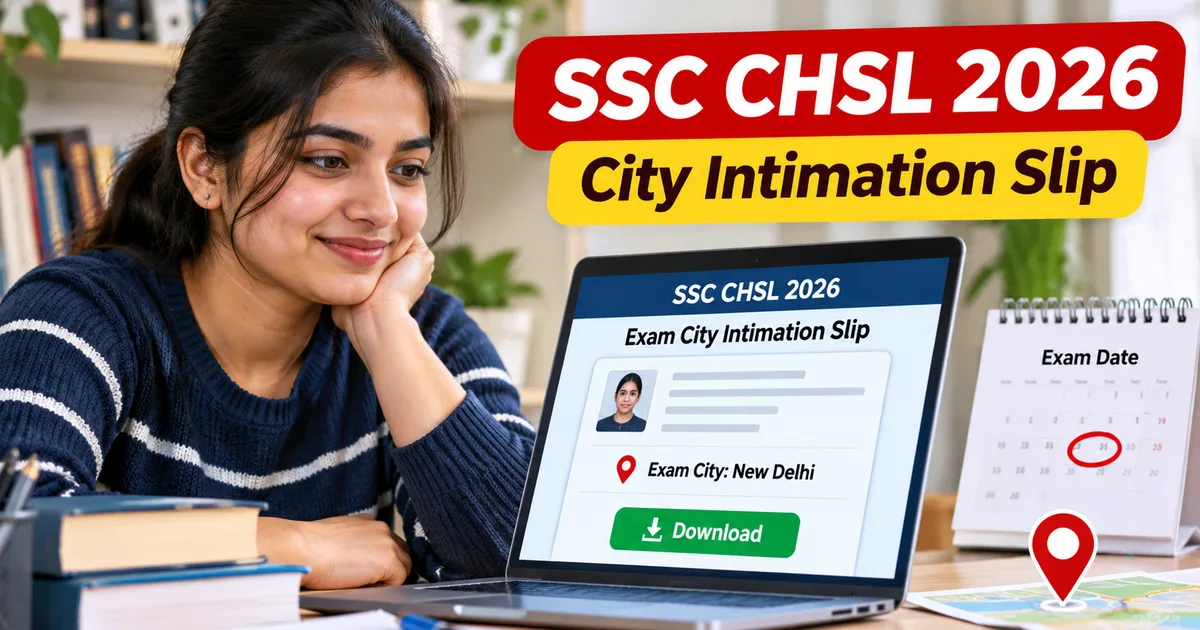
If your phone's been buzzing with Telegram notifications since morning, you already know the news. The Staff Selection Commission has put up the SSC CHSL 2026 exam city intimation slip on its official portal, ssc.gov.in. For lakhs of students competing for 2,536 tentative vacancies across Lower Divisional Clerk, Junior Secretariat Assistant, and Data Entry Operator posts, this slip is your signal to book train tickets and sort out travel. Just a quick heads up before you worry about conflicting dates online. While early notices pointed to a November 30 start, the active Tier 1 Computer-Based Examination runs from December 3 to December 31, 2026. Let's walk through how to get your slip cleanly, just like we break down portals across our how-to tech guides.
What you need before opening ssc.gov.in
Government portals are terrible at staying online right when you're scrambling to type a password. Honestly, in my experience, they always crash at the worst moment. So keep your details on your desk or saved in your phone notes before you even open the homepage.
- Your SSC OTR Registration Number from when you created your One-Time Registration profile on the new portal.
- Your registered SSC account password.
- Access to the Indian mobile number or email ID linked to your OTR profile, just in case you haven't logged in since April and forgot that password.
- A reliable 4G or broadband connection with Chrome on Android, Safari on iPhone, or Edge on a laptop.
Look, don't search Google for 'SSC CHSL city slip download' and tap the top ad results. Those ad-heavy sites are a mess, and they'll bounce you through five useless pages only to show a broken button. Type ssc.gov.in straight into your browser address bar.
How to download SSC CHSL 2026 exam city intimation slip
SSC rebuilt its website not long ago. If you last checked a hall ticket on the old regional portals like sscnr or sscer, things are very different now. The new unified dashboard is much cleaner once you know where to tap, if you ask me (annoying, I know, that it still slows to a crawl whenever half a million students hit refresh at once).
- Open your browser and go straight to ssc.gov.in. Give the blue and white homepage a few seconds to load all its notification banners and header buttons.
- Look at the top right corner on a laptop screen (or tap the three-line hamburger menu at the top on a mobile phone) and select 'Login or Register'.
- A clean login card will slide open in the middle of your screen. Type your Registration Number into the first field and your SSC Password into the second field.
- Enter the Captcha code shown in the distorted image box right below. It's case-sensitive, so watch out for capital letters versus small letters. If the characters look unreadable, hit the tiny circular refresh icon next to the box for a fresh code.
- Tap 'Login' to enter your candidate dashboard. Inside, you'll see a clean summary card with your full name, OTR verification status, and a scrollable list of active exams you applied for.
- Scroll down to the section marked 'Combined Higher Secondary (10+2) Level Examination, 2026' and look for the Admission Certificate or City Intimation status tab.
- Click the status link to load your city slip screen. You'll see a table showing your allotted exam city, your exact exam date, and your shift timing window.
- Save a copy immediately. On Windows or Mac, press Ctrl+P (or Cmd+P) and choose 'Save as PDF'. On Android Chrome, tap the three-dot menu, select Share, and tap Print to save it as a PDF in your Downloads folder. Take a quick screenshot too as a backup.
While that screen's open, check your name spelling and your date of birth. Check your category and photo too. Typos are rare, sure. But spotting a mistake in November gives you enough time to fix it before exam day.
Why your city slip isn't the SSC CHSL Tier 1 admit card
First-time applicants mess this up every year. I think it's the biggest reason students panic on exam morning, honestly. Your city slip only tells you which city you're going to and what date your Tier 1 CBT is on. It doesn't have the street address. And the guards at the gate won't let you inside with that slip.
Don't walk up to an exam centre carrying a printout of your city intimation slip. SSC releases the actual Tier 1 admit card separately, and only that document gets you past biometric verification.
Your official hall ticket shows up on that exact same dashboard 2 to 3 days before your exam date. That's standard SSC policy. So if your test is on December 3, your admit card should be out around November 30 or December 1. If your test date is December 24, your hall ticket won't appear until around December 21. Basically, it's the same system we explained for checking exam city intimation slips in state tests, where you get your travel city early while the exact centre stays hidden till the last minute to stop cheating.
Also, if you're bringing your own scribe, watch the clock. SSC's Own Scribe OTR mapping deadline is November 28, 2026, at 11:00 PM, so finish that early or your admit card might get stuck.
Fixing login errors and missing details on ssc.gov.in
Forgot your password? You're definitely not alone. Most students made their OTR profile months ago and haven't typed that password once since submitting the form. Hit 'Forgot Password' right below. Enter your Registration Number, then pick if you want the OTP on your registered Indian mobile number or email. Wait two full minutes before tapping resend, though (telecom SMS queues get weirdly slow when lakhs of candidates ask for an OTP at the same time).
What if the site flashes 'Invalid Credentials' when you know your password is right? Check for a stray space at the end of your Registration Number. Phone keyboards love sticking a blank space there when you copy-paste numbers. I've seen that invisible space break the login every single time. Also, if you left the tab open for over three minutes while hunting for your password, refresh the Captcha before you hit submit.
If ssc.gov.in throws a 502 Bad Gateway error or spins forever, stop mashing refresh. Just wait. Traffic is worst between 11:00 AM and 4:30 PM, so try checking around 6:30 AM or late at night after 10:30 PM when the site is way faster.
Thing is, what if you get inside your dashboard and your city details are just missing? SSC is clear about this. If your exam details aren't on the portal even one week before your exam window, reach out to your SSC regional office right away. Keep a printout of your application form and your ₹100 fee payment receipt (if applicable) when you email or go see them.
Avoid fake WhatsApp links and cyber cafe traps
Every time a big government slip comes out, Telegram and WhatsApp study groups blow up with forwards claiming 'Direct Server 2 Link' or 'Download City Slip APK'. Ignore all of them. Your exam city slip is only behind your password login on ssc.gov.in. No random app or site can pull your slip using just your name or phone number.
We've already tracked plenty of fake city slip WhatsApp scams going after railway and central job students across India this year. Honestly, I'm not sure exactly why people still trust random APK files, because those sketchy scam links either steal your OTR login or sneak spyware onto your phone disguised as a PDF reader. Stick to our online scam alerts hub to spot these tricks early. And please don't forward sketchy links to your college or coaching groups.
Going to a local cyber cafe to check your slip or print it? Treat that shared PC like an ATM:
- Ask the shop owner to open an Incognito or Private browsing tab before you type your Registration Number.
- Watch the top right corner of Chrome when it asks 'Save password?' and make sure they click Never.
- Delete your saved PDF from the Downloads folder and empty the Recycle Bin once your ₹10 printout comes out of the printer.
- Never pay ₹100 or ₹500 to any broker claiming they can 'change your allotted exam city'. SSC doesn't entertain city change requests once centres are assigned.
Smart checklist after you check your exam city
Once the PDF is on your phone, check the distance on Google Maps. Right away. If SSC gave you an exam city 300 kilometres from home, open IRCTC Rail Connect or RedBus today. Waiting until your admit card shows up two days before the test usually lands you in Tatkal queues or pricey buses that burn ₹800 to ₹1,500 extra out of your pocket (though bus pricing is always a bit fuzzy depending on the route).
Next, grab the physical photo ID you're taking to the centre, like your Aadhaar card, PAN card, Voter ID, or Driving Licence. Check it twice. Make sure the name and date of birth on that card match your SSC form letter for letter. If your Aadhaar still has an old spelling or skips your middle name, get a backup original ID like your passport or Class 10th marksheet ready now, because if you ask me, you really don't want to be arguing with invigilators at 8:00 AM on exam day. And forget about showing a DigiLocker PDF on your phone, since phones stay outside the hall and you need an actual physical card in your hand.
Once the December CBT finishes, you'll be back on this exact same dashboard for your answer keys and marks. You can bookmark our SSC CHSL Tier 1 result guide so you know where to check later. Save your PDF and book that train ticket.