The job market is tough right now. And when the Department of Posts announced over 25,000 vacancies for the Gramin Dak Sevak posts this year, millions of young Indians applied. They checked the official websites constantly. They just waited for that merit list to drop. Scammers know this completely. Basically, they rely on that exact mix of hope and desperation. So that's why the Fake India Post GDS Recruitment 2026 Merit List WhatsApp APK Scam is spreading across the country right now.
Look, I saw a version of this message forwarded in a family group just yesterday. It looked incredibly convincing. It had the official logo, and it had government-style formatting. But underneath that shiny surface is a piece of malware designed to steal everything in your bank account.
This isn't a new trick. I think we've seen similar tactics with the Fake India Post Parcel Delivery Failed SMS scam recently. But this one is far more targeted. The criminals are going after people who are actively expecting a PDF document or an app related to their job application.
Think about the stakes here.
A Gramin Dak Sevak job has stability. It has a respectable position in the community. Candidates put months of effort into preparing their applications (which makes sense, actually). When a message pops up claiming they got the job, logic goes out the window. That brief moment of celebration is exactly what the attackers weaponize.
What this merit list fraud actually is
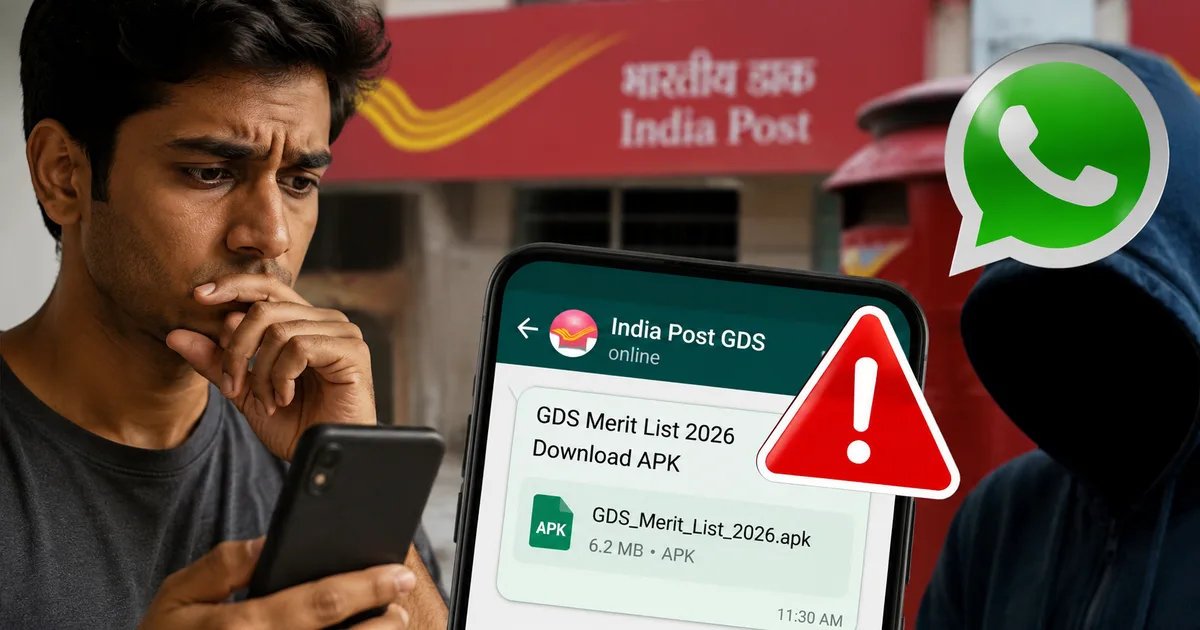
The setup is simple. But it's highly effective. You get a WhatsApp message from an unknown number, and the sender usually has the official India Post logo as their display picture. The message congratulates you. It says your name is in the latest GDS merit list.
Then comes the hook.
To check your specific district allocation or confirm your acceptance of the post, you need to download a secure application. They provide a direct link in the chat. And the link doesn't go to the Google Play Store. Instead, it downloads an APK file directly to your phone.
Honestly, the psychology here is sick.
They target rural and semi-urban candidates who might not be entirely familiar with how Android security works. A candidate sees they might've secured a government job, and they panic. They rush. They ignore the warning prompts on their phone because they don't want to miss the deadline mentioned in the fake message. In my experience, panic makes people blind to red flags.
The moment that APK file is installed, you aren't looking at a merit list. You just handed complete control of your text messages to a cybercriminal sitting hundreds of kilometers away. Basically, you gave them the keys to your financial life.
How the technical trap works step by step
Understanding the mechanics of this fraud is the best way to avoid it. The criminals have refined this process down to a science. So I want to break down exactly what happens between you tapping that link and the money leaving your account.
The initial contact and pressure
The message always creates a false sense of urgency. It'll say your seat will be given to the next candidate if you don't verify your details within 24 hours. Panic makes smart people do foolish things. The scammers are banking on you being too stressed to check the official indiapostgdsonline.gov.in website. And they write the messages in a mix of Hindi and English to make it feel authentic.
Bypassing basic phone security
When you click the link, Android will try to stop you. Your phone throws up a warning saying that installing apps from unknown sources is dangerous. But the WhatsApp message usually includes instructions on how to ignore this warning. They tell you to go into your settings and allow installations from unknown sources. They claim this is a special government app that isn't allowed on public app stores for privacy reasons. That's a complete lie.
They might even include fake screenshots in the chat showing exactly which buttons to press to bypass your phone's security. It's a calculated tutorial on how to infect your own device (which is terrifying, honestly).
The hidden SMS forwarding malware
Once you install the app, it asks for permissions. The most important one is the permission to read and send SMS messages. As soon as you grant this, the malware goes to work in the background. It looks like a normal screen on your end. Maybe it just shows a fake loading bar or a generic form asking for your Aadhaar details.
But behind the scenes, the app is forwarding every single incoming text message to the scammer's server. They don't even need your bank account number initially. They can just try to log into your UPI apps or banking portals using your phone number. When your bank sends the One Time Password to verify the login, the malware intercepts it. It sends the OTP to the scammer. Then it instantly deletes the message from your phone. You won't even see the notification.
This exact same malware distribution method was used in the Fake JioHotstar free subscription APK scam a few months ago. The wrapping changes. But the poison inside remains identical.
The financial drain
Armed with your OTPs, the scammers reset your UPI PIN or add themselves as a beneficiary in your net banking. Because they control your incoming messages, they can approve transactions seamlessly. People have lost their entire life savings in a matter of minutes. The criminals often transfer the money to mule accounts or convert it to crypto. That makes it very difficult for the police to trace. I'm not sure exactly why it's so hard to freeze crypto transfers, but it is.
They operate quickly. Usually, the attack happens late at night.
You wake up the next morning to an empty bank account and no idea how it happened because all the SMS alerts were hidden from you.
Warning signs you need to watch for
You can spot these frauds if you know what to look for. The government has very strict protocols for how they handle recruitment. They never deviate from them. If you ask me, this predictability is your best defense.
- The government doesn't send APKs on WhatsApp. This is the absolute biggest red flag. Any official app will be available on the Google Play Store or the Apple App Store. The Department of Posts will never ask you to install an app from a random chat link.
- The official results are public. Merit lists are always published as PDF documents directly on the official India Post website. You don't need a special app to view them.
- Poor grammar and formatting. While scammers are getting better at copying official letterheads, they often make stupid spelling mistakes. Look closely at the URL they provide. It'll usually be a jumble of random characters instead of a proper .gov.in domain.
- Demand for money. Some variations of this scam will ask you for a "processing fee" to generate your offer letter. You never have to pay to get a government job offer letter.
If you see any of these signs, stop immediately. Don't click anything. Just block the number right away.
How to protect yourself and your money
Staying safe requires a bit of digital hygiene. You need to treat your phone like your wallet. You wouldn't hand your wallet to a stranger on the street. So don't hand your phone's permissions to an unknown app.
First, go into your Android settings right now and search for "Install unknown apps". Make sure this permission is turned off for your browser and for WhatsApp. This simple step blocks around 90 percent of these malware attacks. It puts a hard barrier between you and a bad decision.
Second, always rely on official sources. If you applied for the GDS recruitment, bookmark the official portal. Check that portal for updates. Never trust a forward on WhatsApp or Telegram, no matter who sent it to you. If your friend forwarded it, they were probably tricked too. For a wider view on how to spot these things, you can check our comprehensive scam alerts and safety section.
Third, keep Google Play Protect enabled. It is a basic antivirus for your Android phone. It scans apps for known malicious behavior. It isn't perfect, but it catches a lot of sketchy malware.
Scammers exploit the trust we place in official institutions. Always remember that no legitimate government department will ever ask you to bypass your device's security settings to view a document.
Never share your UPI PIN or banking passwords with anyone. I know this sounds obvious. But scammers are very persuasive. The malware does a lot of the work, but sometimes they still call you posing as an official to get that final piece of information.
What to do if you already downloaded the app
If you read this and realized you installed that app yesterday, you need to act right this second.
Don't panic. But move fast.
First, turn on Airplane mode immediately. This cuts off the phone's connection to the internet and the cellular network. Basically, the malware can't send your OTPs to the scammer if it has no connection.
Second, go to your phone settings and find your list of installed apps. Look for the application you just downloaded. It might not have an icon. Or it might be hiding under a fake name like "System Settings" or "India Post". Uninstall it completely.
Third, use a different phone to call your bank immediately. Tell them your phone was compromised and ask them to temporarily freeze your account and block your UPI handle. It's better to have your account locked for two days than to lose everything in it.
Finally, once the app is gone and your bank is informed, change the passwords for your email accounts and any important services you use. The malware might've skimmed other data while it was active on your device.
Where to report this fraud
Reporting the crime is essential. Even if you didn't lose money, reporting the phone number and the app link helps authorities shut down the operation. CERT-In constantly tracks these malware campaigns. But they need data from citizens to act quickly.
If you've lost money, you must call the national cybercrime helpline at 1930 immediately. This is the official emergency number in India for financial fraud. The faster you call them, the higher the chance they can freeze the money in the scammer's destination account before it's withdrawn. The numbers here are a bit fuzzy, but quick action always helps.
You also need to file a formal complaint online. Go to the official government portal at cybercrime.gov.in and register the details. Provide screenshots of the WhatsApp messages and the phone number of the sender. And definitely include any links they provided. Don't delete the chat until you've taken those screenshots. The police need that evidence to build a case.
We're dealing with organized crime syndicates here. They run these operations like call centers. They're constantly inventing new ways to steal from honest people looking for work. Stay alert, and trust nothing on WhatsApp blindly. And always verify information through official channels.